
Digitise your pet's health record, without retyping it
Do you really have to retype years of a paper record? No. You photograph the page, the app reads the date, the vaccine and the batch number, and pre-fills the entry. You check, then you confirm.
Updated on 11 November 2026
The real reason digital records get abandoned
It is not the design, nor the price. It is the first half hour: an empty record to fill in by hand, vaccine by vaccine, deciphering labels stuck on crooked and handwritten prescriptions.
A digital health record still empty on day two is a dead record.
How it goes
Step 1
Photograph the page
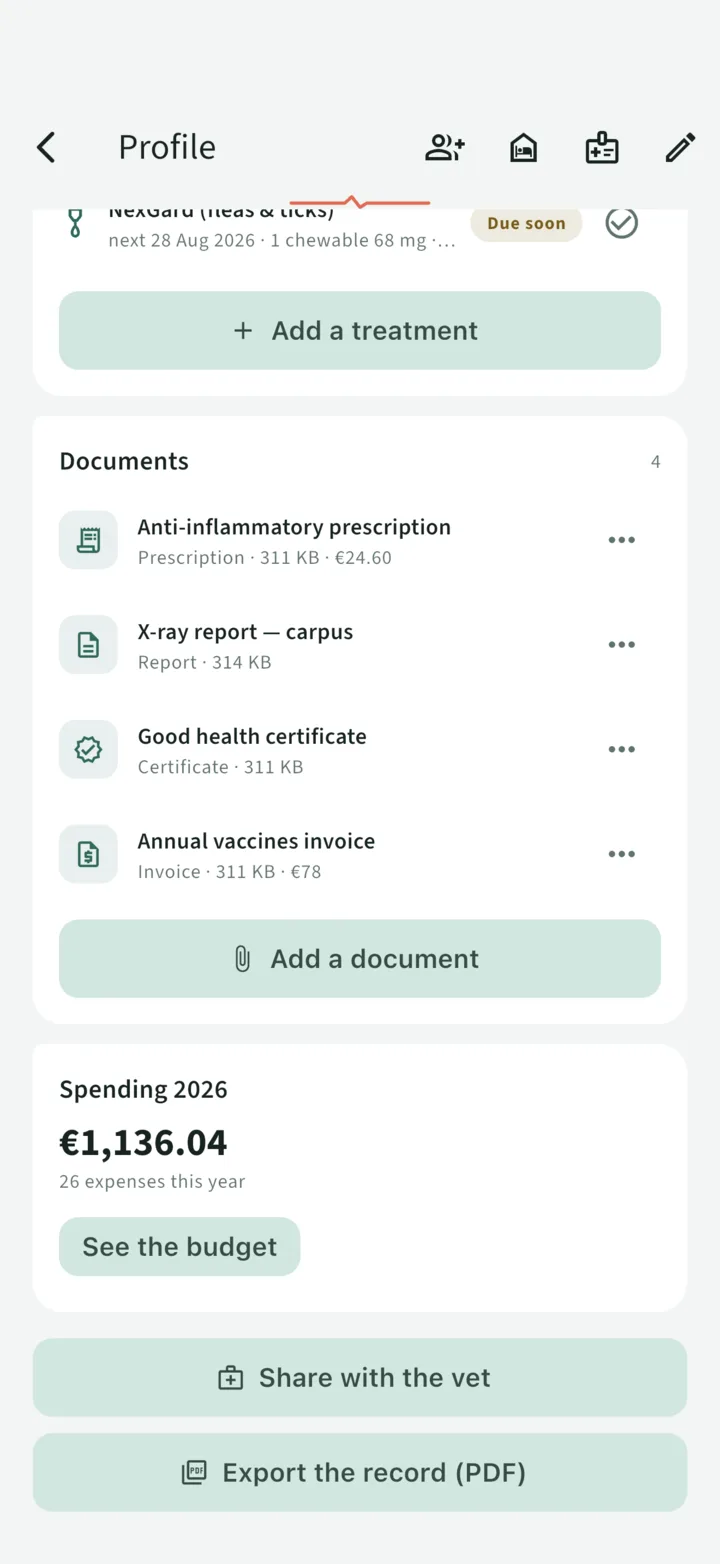
In the pet's Documents, add a document and scan it: a record page with its vaccine labels, a prescription, an invoice. The page joins the record's Documents.
Step 2
Check what the app read
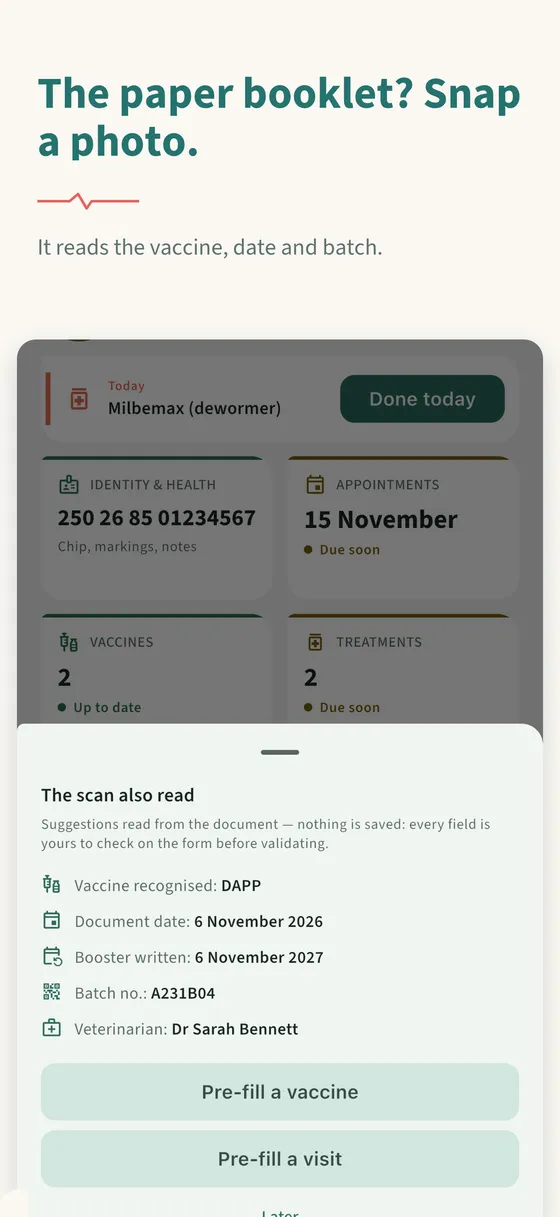
A "The scan also read" sheet offers the recognised vaccine, the date, the booster written on the document, the batch number and the vet. Nothing is saved at this stage.
Step 3
Confirm, the reminders follow
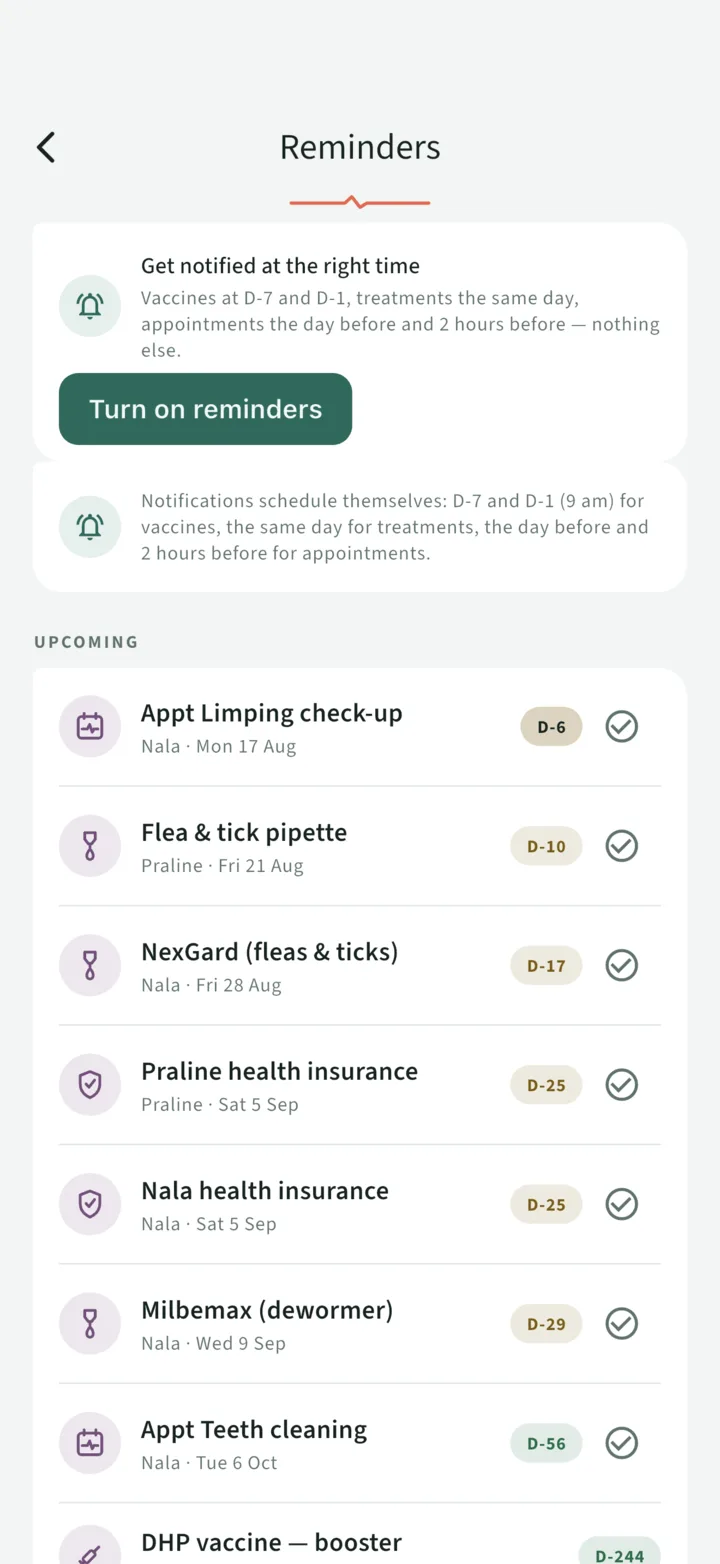
You pre-fill the vaccine (or visit) entry, correct it and save. The entry's booster date triggers the notifications (for a vaccine, 7 days and 1 day before).
Nothing is saved on its own. That is deliberate: on a medical document, an automatic reading that wrote itself in unchecked would be worse than typing it by hand. The machine proposes, you dispose.
What it recognises
- The type of document: prescription, invoice, report, lab results, certificate
- The date of the document and, when it carries one, the booster date written on it
- The vaccine, when its name (or its brand) is in the app's reference table — DHPP, rabies, myxomatosis-RHD…
- The batch number
- The amount of an invoice
- The vet, and the weight written on a report
On a record page that carries several vaccine labels, the app offers to create them together ("Create the 3 vaccines on this page"). Every date it reads stays a suggestion that you confirm with one tap: handwriting reads badly, and two mixed-up digits would give a wrong booster date.
A doubtful field stays empty. What it does not read, you type: it is an accelerator, not an oracle.
Reading happens on your device
Text recognition runs on your phone — Vision on iPhone, ML Kit on Android — with a model bundled inside the app. Concretely:
- the image is not sent to any reading service: the text is read on the spot;
- the reading itself needs no connection, and it works on an Android device without Google services;
- reading the text has nothing to download; only Android's document scanner (automatic edge detection) fetches a Google Play Services module, once, the first time it is used — without it, a plain photo does the job;
- the page you photographed is filed in the Documents of the record, like any document you add: it is kept on our servers, hosted in France.
The module that downloads is a component of the scanner, not an upload of your documents.
How long to take over an existing record
The vaccine pages of the paper record photograph in one go, prescriptions and invoices as they come. The rest — weights, contacts, appointments — fills itself in with use.
What is free, what is Premium
| What it covers | Free | Premium |
|---|---|---|
| Scan a document and pre-fill the entry | ✓ | ✓ |
| Documents filed in the record | 500 MB | 10 GB |
| Animals | 1 | Unlimited |
Scanning is not a Premium feature: what limits it is space (500 MB of documents) and the number of pets (one, without Premium).
Frequently asked questions
Do I have to retype the whole health record?
No. You photograph the page: the app offers the fields it read (vaccine, date, batch number) and you confirm them. Nothing is saved before you confirm.
Does it work with a handwritten record?
Reading handwriting is less reliable than reading printed text. That is why the dates it reads are only suggestions, confirmed with one tap, and why a doubtful field stays empty: what the app does not read, you type.
Are my documents sent to a service to be read?
No. Text recognition runs on your phone, with a model bundled in the app. The page you photographed is then filed in your record's Documents, kept on servers hosted in France.
Is scanning available in the browser version?
Scanning is in the iPhone and Android app. The browser version does not offer automatic reading of documents.
Does scanning cost anything?
No, it is not a Premium feature. The offer without Premium covers one pet and 500 MB of documents.
Snap a photo, the app reads the rest
The scan recognises the vaccine, the date and the batch, and pre-fills the record.
Read next
Lost vaccination record: what to do
A lost paper record cannot be replaced identically, but the essentials can be rebuilt: your vet, the microchip database, your own paperwork. The order to do it in, and how never to start over.
Share the record with your vet, in one link · Premium
A web link valid for 72 hours: your vet opens the record — vaccines with batch numbers, treatments, visits, documents — with no app to install and no account to create. Revocable at any time.
What your pet really costs, in black and white
Spending per pet and per category, recurring costs, amounts taken from invoices, monthly charts, CSV and PDF export. The health budget is not a Premium feature.
Page updated on 11 November 2026.